Introduction
For better or worse, new user interface is all the rage right now in the console gaming scene. Nintendo was first to the block in 2006 with 3D motion-controlled user interfaces, leveraging a unique combination of IR sensors and 6-axis MEMS accelerometers in a handheld remote. The motion-controlled Wii has enjoyed a nice long run being the sole platform for motion-assisted gaming. Flash forward to late 2010, and Microsoft and Sony both have readied their response to the Wii - the Microsoft Kinect and Sony Move, respectively.
It’s taken the greater part of four years (and one name change) for the software giant’s answer to make it to market, but Kinect is finally out and ready for mass consumption. We’ve spent nearly a month playing with Kinect and are finally ready to release our impressions.
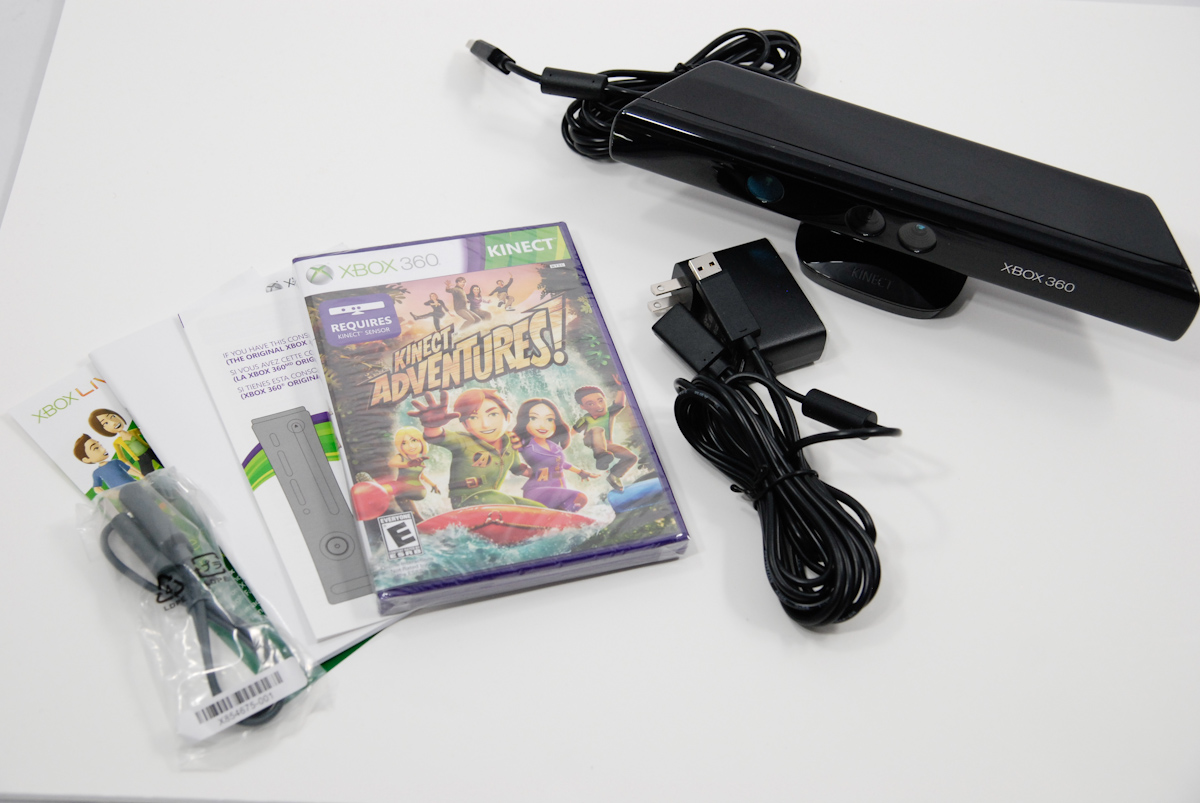
First off, the Kinect is fundamentally different from Sony and Nintendo’s offerings. Instead of relying on handheld controllers and motion targets, the Kinect uses a purely optical solution which we’ll get to in a bit. The result is that there’s only one thing to purchase to add Kinect to an existing Xbox 360 install - the $149.99 Kinect sensor itself. We purchased a retail kit on launch date, which comes with the sensor itself, cables, some paperwork, and Kinect Adventures.
Hardware
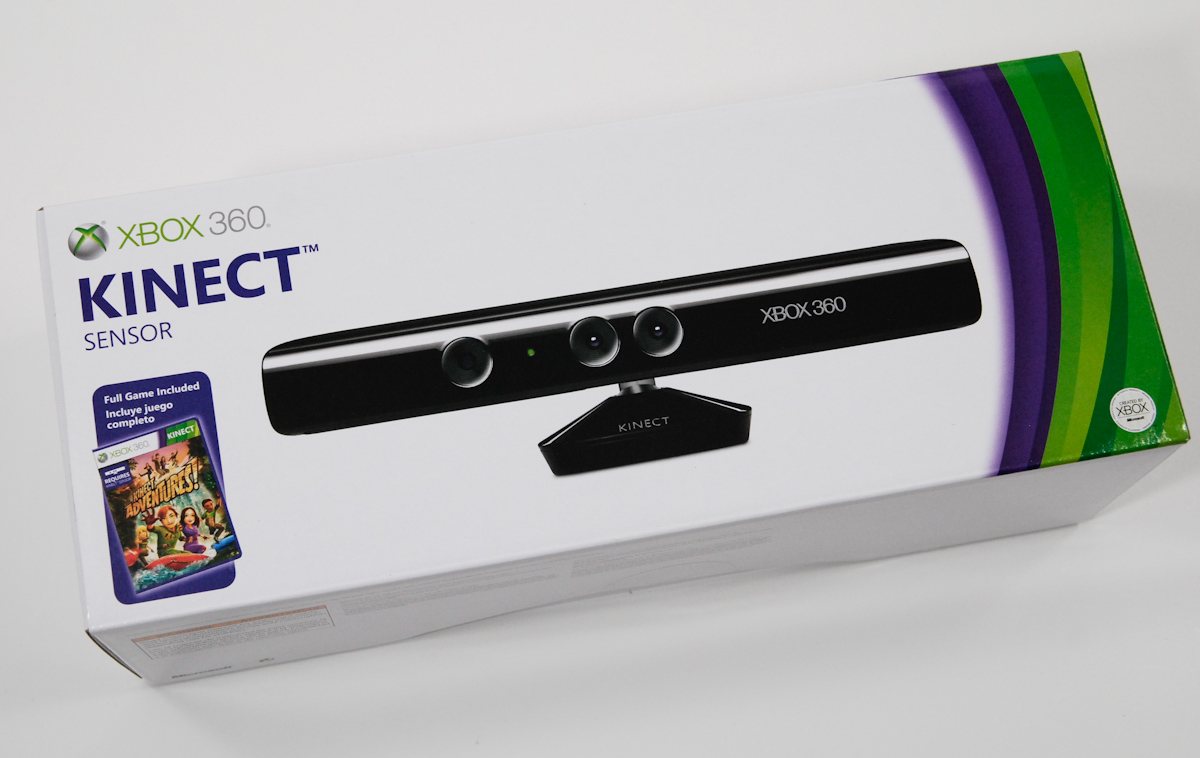
Packaging for the standalone Kinect package matches the style of the Xbox 360 S packaging - it’s a lot of green and purple. On the box, Microsoft stipulates that you need at least 6’ of free space in front of the sensor to play, which seems a bit optimistic as I’ll show later. There’s an unboxing gallery below in case you want to see for yourself. The Kinect is securely seated in a foam recessed area.
Inside the box is the Kinect sensor itself, Kinect Adventures, and a suite of cables.
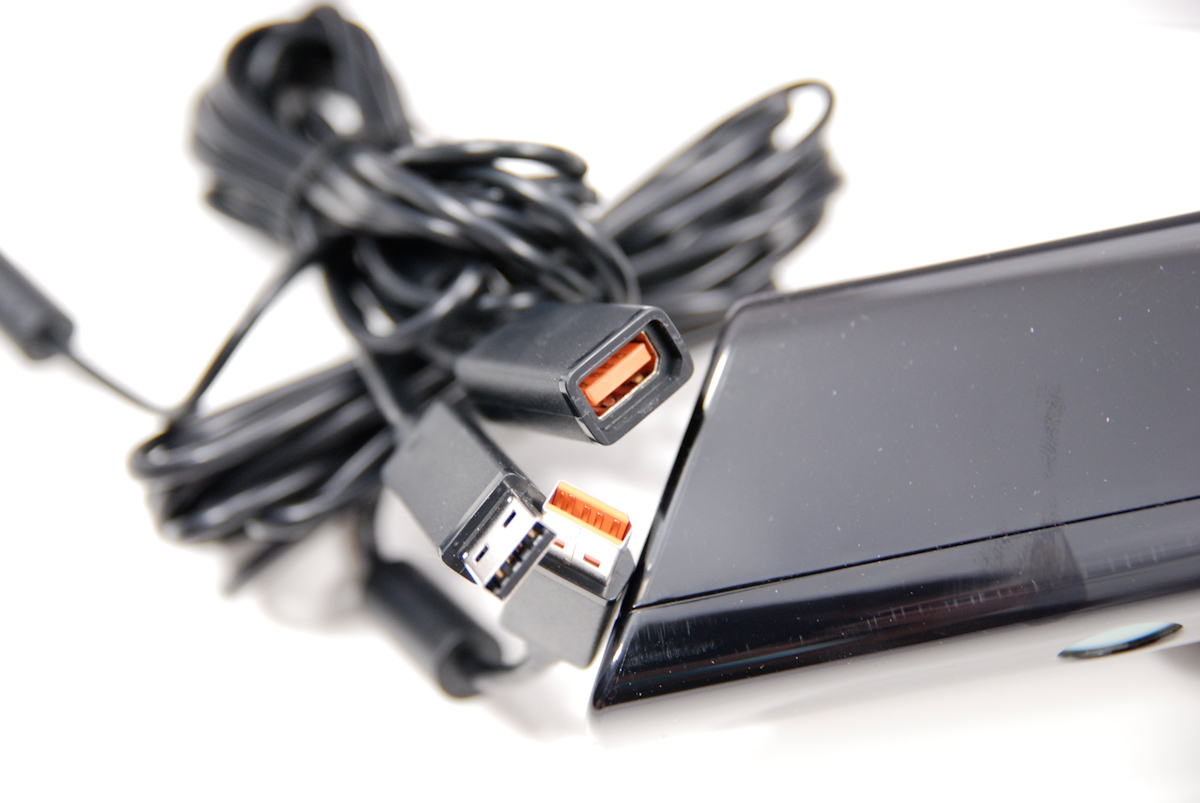
First up is an orange-tipped USB-like cable with a special connector for connecting the Kinect to the Xbox 360 S. This cable is keyed differently than a normal USB cable and allows the Kinect to draw power from the console itself instead of requiring a standalone power supply.
If you’ve got an Xbox 360 S, this is the only cable you need to use Kinect. The cable physically looks like USB, but the connector inside is visibly different besides the obvious shape difference.
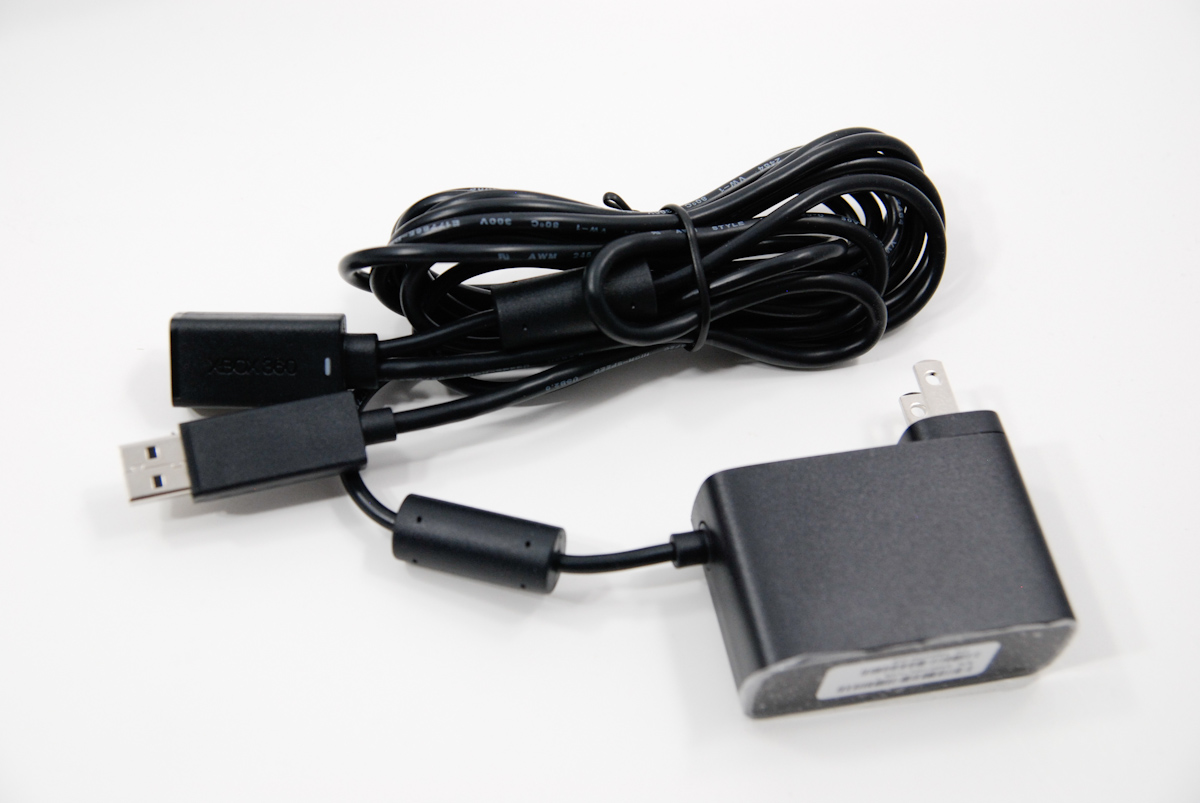
The rest of the cables are for if you’re connecting the Kinect to an older generation Xbox 360. For that, you get a power supply cable which breaks off into a Y connector - one end is orange tipped and connects to the cable coming out of the Kinect, the other goes into your original-gen Xbox 360.
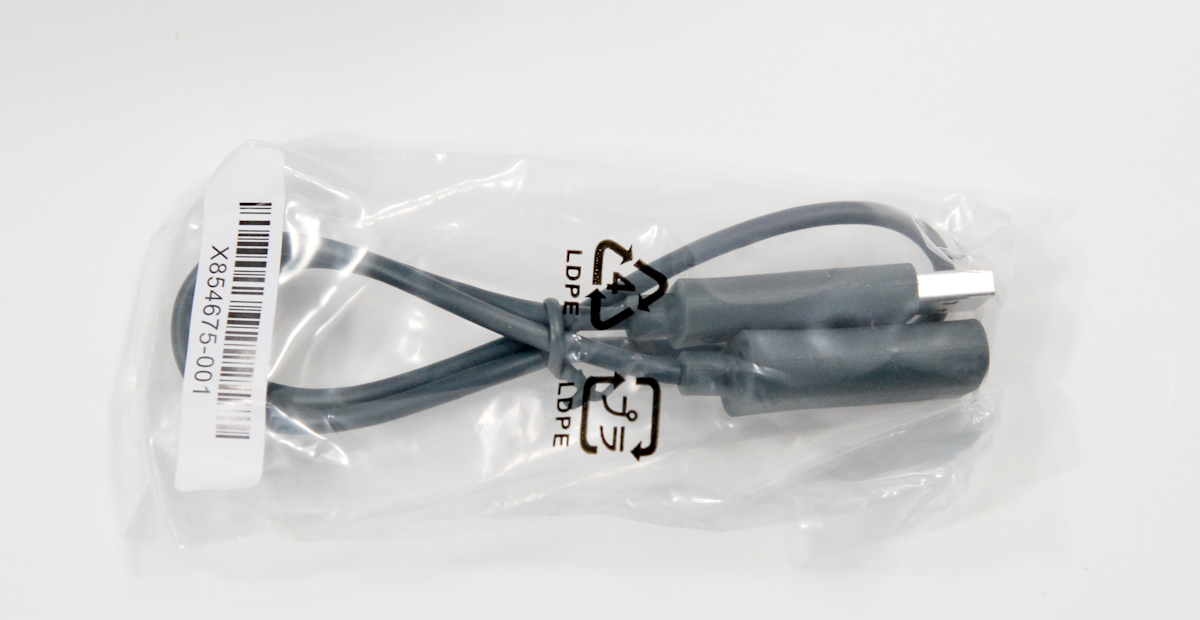
But wait, what about that odd-looking grey cable?

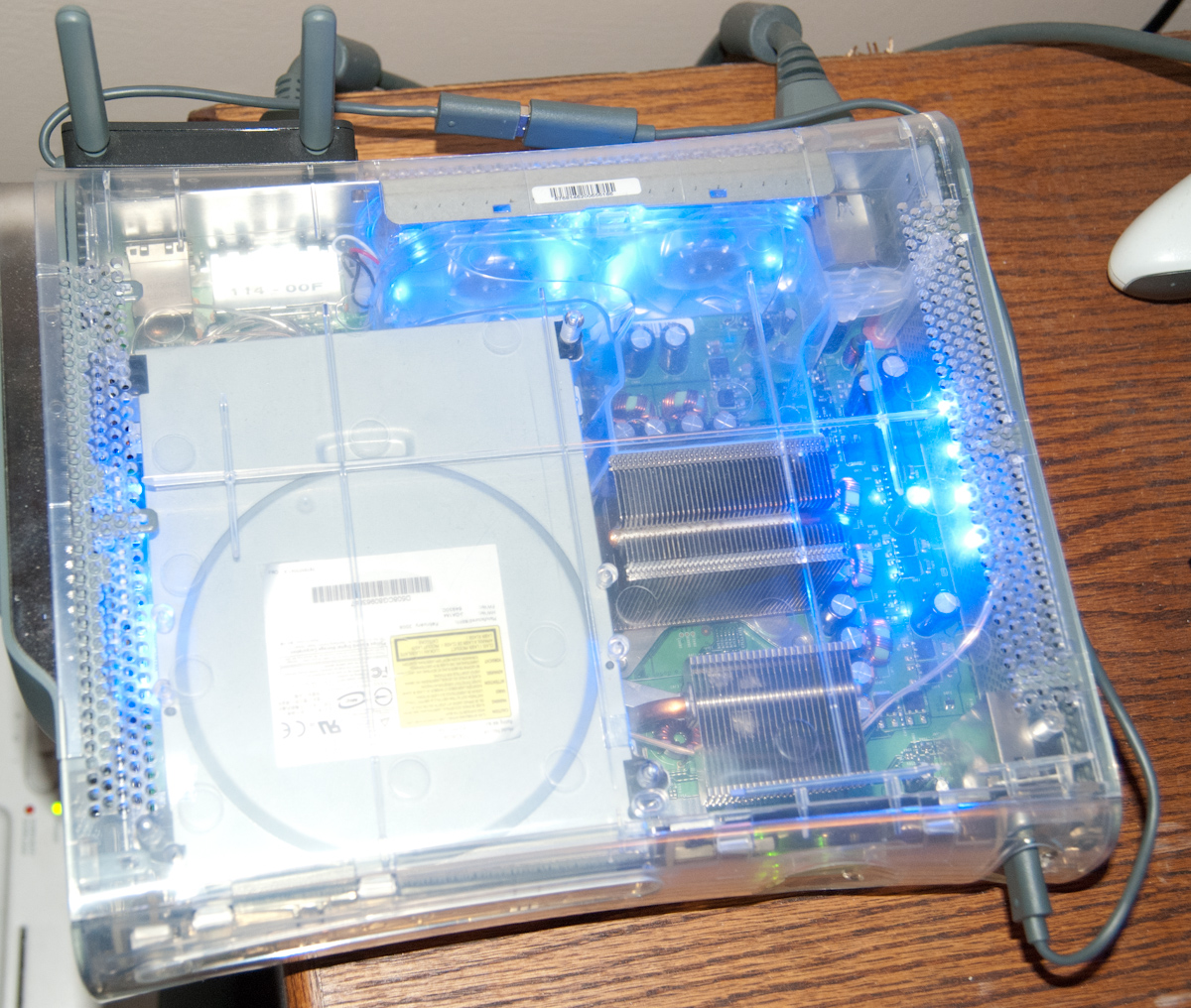
It’s a WiFi extension cable. Remember that unlike the Xbox 360 S, the older Xbox 360 has just one USB port on the rear, and two in the front. I have an original Xbox 360 Pro from launch date, and also happen to use the Xbox dual band 802.11N adapter to connect wirelessly. If you’re using a setup like this, you’re going to need to run a cable from the wireless card - using the extension cable- all the way around to the front of the box and into one of the front USB ports. It’s an unaesthetic solution that’s an unfortunate consequence of the old Xbox 360 simply not being designed for all these accessories. It’s a bit disappointing there isn’t a hub involved somewhere here like what Microsoft did with the ill-fated HD DVD player (which included a notch and USB port on the back for the displaced wireless adapter), but perhaps bandwidth considerations over the USB hub contributed. If you’ve still got a Microsoft HD DVD player kicking around and connected, things could theoretically be getting very crowded with daisy chained USB devices. With an old Xbox 360 and Kinect hooked up, you eat up two power ports, and with a wireless adapter, are left with only one available USB port on the front for connecting controllers and USB storage. If you’re like me and have your profile stored on a USB drive (so you can migrate from box to box, ostensibly) you end up using all those ports.
With the Kinect connected using the power supply, I measured a total power draw of 5 watts, which is pretty respectable. The Prime Sense specification says 2.25 watts, but that’s probably before losses are incurred from the power supply and additional overhead from thermal management.

I used to be attached to my older Xbox 360 purely for aesthetic reasons - it looked cool with a different case, and managed to not sound like a hair dryer after a fan replacement, but my venerable launch console stopped working with the latest dashboard update that brought UI changes and Kinect support (seriously). My original intentions were to try Kinect out on the old Xbox 360 Pro and also the new Xbox 360 S, but the old console alternates between dead and alive for half hour periods so much that it isn’t worth the frustration. One warranty-repair RROD and two x-clamp RROD repairs later, the thing was on its last legs anyway. I did want to illustrate how seriously out of control the cable situation can be - ironically for a new user interface that’s entirely wireless and relies on no controllers at all. Above you can see the cable extend the wireless adapter all the way to the front. Toss in the Y connector, and there can be a heck of a lot of cables running around.

Again, it’s obvious that the least painful way to use Kinect is with the new Xbox 360 S console, thanks in no small part to its higher-power custom USB port. Microsoft will also sell you an Xbox 360 S 4 GB bundled with the Kinect sensor and an extra game for $349.98.